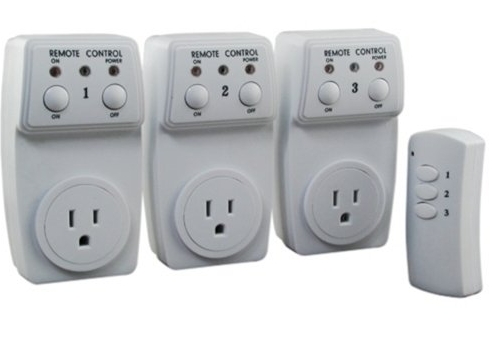
Not sure where to put this, but here we go. I use logmein to get into my stealth computer from home sometimes. Need it to block some last minute troll bidding. When I switch IP by changing Mac, sometimes the Internet gets knocked out and I need to restart the modem, repower it somehow. Sometimes its all good and internet is atill there with ip changed.Anyone figure out how to do this? Once it is repowered, I need to click on the reset button on my router, but I think have figured a way to do that. Just write up macro to do it for u. But the tricky part is to have remote power shut off. If anyone has a solution, thanks.
The complete step-by-step guide to get back to selling today!
Of course the downside to this is that the connection needs to be working to turn the plug off in the first place, and you need to get a remote that will turn the plug on automatically after a period of time.
It is possible but the research to find the right remote plug would need to be done.
They may well be an app for it if you have a look.
The Following User Says Thank You to JamesNorth101 For This Useful Post:
Thanks. I think I know how I could get this done. Once I log into my computer, which could already be done in the first place, I would set a macro to click the refresh button within 3 mins or so. Then I would unplug the modem from afar. It's unfortunate, but those dam troll bidders are everywhere.
They usually create an account that is a a few hours old and they bid on my item and never pay. I just wait till my auction ends and once that troll comes, quickly cancel bid. I usually have the tabs all setup to cancel bid.
Does your modem not auto-reboot after changing the MAC? Most have to shut down and restart to save the settings... Or at least on the same page there should be a button to save + reboot. What kind of router is it?
I know on many desktop motherboards, you can look in the BIOS settings and there are restart options in case of power loss, sudden shutdown, etc.
If you have a modem behind the router, it is very tricky and painful. I go through the same and have been working on other means of work around.
My router show a message that, "changes will be complete after rebooting modem". Unfortunately, if the modem is not rebooted within a specified time, router will reset configuration; very painful.
__________________
To Every End, There Is A New Beginning!











 Remote power off switch?