Aspkin's World

Oh this is going to be fun.

Feed on
Posts
Comments

Get My EBay Guide Now - EBay Stealth!

June 28, 2008

Wanted: Angelina Jolie, Morgan Freeman & James McAvoy! High-Five!

The Weekend Movie Review: "Wanted" by Timur Bekmambetov

headshotI don't get the movie title but if I were to sum up the movie in a few words, it would be "BOOM HEADSHOT!". Seriously though if you're looking for a movie with a lot of action, some comedy and of course sexy Angelina Jolie then "Wanted" is for you!

From the get go you get sucked in with it's dark comedy, a pathetic life of Wesley Gibson who's best friend is doing his girl friend, his office manager is a total bitch, his lack of cash and then there are his panic attacks.

While getting a refill of his panic attack meds, he gets a visit from the sly and sexy 'Fox', "Angelina Jolie".

Angelina Jolie

She let's him know that his father who he hasn't seen since he was a week old recently died and the person that killed him was behind him.

That's when all hell breaks loose and the deception begins.

I don't want to give away the movie, but be ready for some twist, super human abilities, lots of head shots and more of Angelina Jolie. And I want to emphasis Jolie. For some reason I liked her even more in this movie then any other movie I've seen her in. I don't know what it is, but I liked it.

Okay, so a great movie I enjoyed a lot, I give it a 8.9 out of 10!

Lots of action, great story, excellent ending, a solid movie! Check it out!

Filed under Uncategorized by aspkin

Permalink Print Comment

June 19, 2008

EBay Suspension Forum

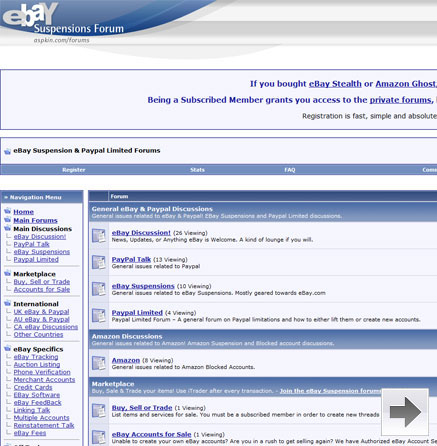
How's it going? You're probably here because of an eBay Suspension… right? Instead of posting more and more comments on my eBay post, why not go directly to the eBay forums I setup for you guys? Check it out…

ebay Suspension Forum

  • Sign Up!
  • Learn from Others
  • Post you Questions
  • Try the eBay Stealth EBook
  • Start Selling Again!

http://www.aspkin.com/forums/

Good luck!

Filed under eBay by aspkin

Permalink Print Comment

June 11, 2008

Paypal Mass Payment - How to Use!

I've noticed not a lot of people know what Paypal Mass payment is or how to use it. Even a few eBay and Paypal experts that I've known for awhile have never used it before. I can understand why though, Paypal doesn't actively talk about it like they do every other feature on their site. But it's pretty easy to use and it can even save you a ton of money! To find the Mass Payment link, simply scroll down to the bottom of any page in Paypal and click on 'Mass Pay'.

Find Mass Pay

Okay so what is Mass Payment? Basically it's a way for you to send multiple Paypal payments or just a single payment with a very minimal fee. For example: I sent over 2k to a friend of mine a few weeks ago, I used Mass Payment and it only cost me $1 to send and Nothing for him to receive! You can send to just one person or to many people very easy.

Click on 'Make a Mass Payment' to continue.

Make Mass Payment

Send Mass Payment

Okay here's the tricky part. It's not the usual what's the email address and dollar amount you want to send. You need to upload a tab delimited file for things to work.

Paypal has some examples here: https://www.paypal.com/us/cgi-bin/webscr?cmd=_batch-payment-format

Basically if you want to send $50 to Bob who's Paypal email address is IownPaypal@gmail.com this is what you need to have in a text file (notepad) to upload to Paypal.

Tab!

Save it as whatever and upload it through 'Send a Mass Payment'. Of course change the email address, amount and currency type if you're sending in another currency other then USD.

So that's about it! Pretty easy right? Save your friends some money and use Mass Payment, again this can be used for multiple payments or just one!

Learn more about eBay and Paypal in the eBay Suspension Forums!

Filed under How-To, Paypal by aspkin

Permalink Print Comment

June 8, 2008

Affiliate ID Golden Rule

Okay so you started your affiliate marketing adventure. Say you started with Clickbank. One of the first things you do when creating your account is selecting your affiliate ID right? Now you think, it doesn't matter what my ID is, so I'll just use my usual handle. WRONG! You have to remember Affiliate networks like Clickbank show your ID within the URL. What would you think if you saw a URL like this:

RogerB

Most people will immediately know it's an affiliate link, and if they buy they'll know 'roberB' will get credit for the sale. You'll lose 25% of your sales just because of this. Believe it or not most people do not like giving credit to affiliates. Sadly I do the same thing and I know tons of other people who simply chop off the 'hop', reset their cookies and buy without the affiliate. Sometimes I don't do it, but if it can benefit me it's too easy not to.

Okay now what do you think about IDs like these:

random

short

include

These IDs are random, and some look like they even belong there. That's what you have to do. If you're marketing to other affiliates be prepared to lose half your sales no matter what. But if your market is dog training you'll most likely fool most people into thinking its just part of the URL and it belongs there.

You can also cloak your links, but watch out for browsers that don't like cloaked links. IFrame cloaking can sometimes not work in IE, and some Affiliate networks have rules about cloaking links.

That's about it, when selecting an ID don't use your name or usual handle, go for the random jumbled letters and numbers and you might get surprised by the increase of sales. I increased my sales by at least 25% last year by doing this.

Good luck!

Filed under CPA, Clickbank by aspkin

Permalink Print Comment

June 5, 2008

Wasting Time & Getting Things Done

How to start this post… Hmmm…

I haven't posted a Real post in such a long time; it's hard to start up again. It's not that I don't want to post anymore. It's just that whenever I have something to say, by the time I get to a computer I don't feel like writing it out. Have you ever had that happen to you? You're in your car, or somewhere else and then it hits you… a great post idea! You think how you would write it, what great information you have and then by the time you get back to your CPU it's all about Digg and YouTube?

Before I started to write this post I was on YouTube for 45 minutes. Bah!

It's gotten to the point where I finally deleted my bookmarks of time wasting sites. It forces me to type out the domain name, which makes it less impulsive at times.

I'm glad I'm not into Myspace or Facebook, or I would never get things done…

procrastinateLook at you… Instead of reading this blog you could be doing real work, making more money. We all have that attitude of we'll do it later. It's always later. I have a list of stuff written all over my desktop of things I have to do, each one making me possibly hundreds of dollars maybe even thousands easy.

I once read a blog post (time waste?) from a Black Hat SEO guru that still inspires me today. It's a bit vulgar, but it's very true. It's titled:

Do it Fucking Now.

Basically what he says is stop wasting time and start working on building your online business. But in a Black Hat SEO tone.

Give it read, and then get some work done!

Filed under Life, Rant by aspkin

Permalink Print Comment

May 20, 2008

EBay Stealth Update 1.6

I just finished updating eBay Stealth to version 1.6. If you own eBay Stealth 1.5 already, you can download the latest version by going to the download page. Have your serial key handy incase it's needed to unlock the file again. To buy eBay Stealth and unlock it, go to AuctionStealth.com.

Thanks,

Filed under eBay by aspkin

Permalink Print Comment

April 13, 2008

Smosh - There Will Be Pokemon

This has got to be one of the funniest videos I've seen on YouTube. I can't get enough of it; I've probably seen it 20 times already.

Now for the not so funny, original version of it…

Filed under Uncategorized by aspkin

Permalink Print Comment

April 12, 2008

Forum Update

After some major issues with the forum I think for the most part everything is good again. We lost PMs, and most of the mods to the forum like 'flags' for users and spam stoppers were unable to be retrieved. But overall things should be solid again. Send me a private message if you have any specific issues; other then that I'll get the rest of the forum mods up shortly.

Go to the Forum

Have a great day!

Filed under Uncategorized by aspkin

Permalink Print Comment

April 9, 2008

Can You Say Opps?!?

So I just moved the site to a new server about two days ago, and today while looking up one of my highly ranked keywords, 'eBay suspension' and clicking on one of my post… it didn't work. Opps!!

Apparently I forget to update my Permalink Structure!

Everything is okay now, I just updated the links. I hope Google doesn't penalize me too much for showing 404s for a couple days. :)

At least it explains the slower then usual traffic in the EBay Suspension and Paypal Forums.

Cheers!

Filed under Uncategorized by aspkin

Permalink Print Comment

April 1, 2008

eBay Suspension Guide for 2008 - Suspended by eBay?

A Simple eBay Guide: Getting You Started…

So as my other eBay guides have been outdated with time. I decided to create a simple step-by-step basic outline on creating an eBay account for 2008. This won't be in super detail as I don't want to be here all day, but it should be enough to get you going, and if you have any questions you can post them in the eBay Suspension forum.

This is based on the recent eBay guide (eBay Stealth), which goes into much more detail. To get the full guide go to http://www.auctionstealth.com.

Here are the basic steps you should take in order to create an eBay account:

1. Remove TurboLister and any other eBay programs you might have

Removing eBay software off your machine limits eBay's ability to link you to another eBay account. For example every time you connect to eBay through TurboLister, your userid and Ip address are transmitted to eBay and compared just as if you were logging into eBay directly. Any other software eBay has does the same thing. So take my word for it and remove any eBay software from your computer before getting started. *Tip – Auctivia is a good alternative to TurboLister.

2. Get Organized

Getting organized should be self explanatory. It's hard to do anything without being organized, now try taking on multiple eBay accounts, juggling IPs, cookies, passwords, etc. Save your self a lot of trouble and organize your account details with an excel sheet. This means names, addresses, usernames, passwords, emails, IPs, etc. Keep organized.

3. New Fake Name (LLC/DBA etc..)

You can use any name your want really. I like to use funny names; I often use names from http://www.namehumor.com/. The only time it matters to use your real name is if you're accepting checks or MO. Then just use a variation of your name.

4. Firefox + remove cookies

COOKIES! Who doesn't like Cookies? No, I'm not talking about real cookies; I'm talking about your browser cookies. Cookies keep your login details so you don't have to log back into a site every time you visit it. For example this forum (http://www.aspkin.com/forum/): Once you sign-in, a cookie is set on your computer so the next time you visit you won't have to log back in. But this can work against you if you're on eBay. Remember to delete you browser cookies if you're working on multiple eBay accounts. One slip up with the wrong IP address without deleting cookies could link your accounts. If you just have one eBay account you don't have to worry as much because you're not logging into multiple accounts and cross contaminating accounts. But to be safe, use Firefox (http://en.www.mozilla.com/en/firefox/) and set it to auto delete cookies when you close your browser. Tools >> Options.

Learn more from eBay Stealth (http://www.auctionstealth.com)

5. New IP Address (Dialup / restart modem / VPN)

Change your Ip address. I'm not going to get into too many details here. Simply find a way to change your IP address. If you're having any issues I recommend this forum: http://www.aspkin.com/forums/ebay-tracking/

6. New Address (Virtual Address or P.O Box)

Quick and dirty, you need a new address. You can not use your old address linked to another eBay account. So use either a P.O. Box or a Virtual Address if you're expecting people to mail payments. Or an address of a neighbor that you know isn't on eBay or a vacant house if you're just doing online payments. The main thing is the address should be real, and within 50-100 miles of your physical location. If you're in San Antonio, Texas don't list your address in New York somewhere. That could screw you over later on.

7. New Phone Number

You need a real working phone number. There are a lot of options for free phone numbers out there that forward calls to your cell phone or you can answer online, etc. I don't want to list any here because they cease to exist too often. But in this forum you can find a phone solution: http://www.aspkin.com/forums/phone-number-verification/. Just know you need a real working number for eBay verification. You can maybe get away with a fake number for a month or two, but eBay is calling numbers and making sure they're real. Don't risk a limited account; use a real working phone number.

8. Choose – use a Merchant account or Paypal

This is probably the biggest decision you'll have to make. To go with Paypal, risk being linked or limited. Or go with a Merchant account and all the extra work to make it useable on eBay. Let me make it a little easier. If you're a small seller, and you don't have a lot of eBay accounts. Stick with Paypal. If you sell a lot, and have multiple eBay accounts you'll most likely need a Merchant Account.

Paypal: Sign up for a Paypal account using a new bank account (ING.com) and giftcard (simon.com). Use the same account details you have for eBay and you're usually good to go (name & address). International sellers may have to select other options for their bank account and giftcard.

Merchant Account: Sign up for a merchant account (Merchant Plus) and FAX in required documents to eBay. Setup Auctivia tokens and you're set. There are a lot of options for a merchant account and some extra steps you need to take in order for them to work with eBay. Read this forum for more information: http://www.aspkin.com/forums/merchant-accounts/. Or get all the details now at http://www.auctionstealth.com.

9. New Credit Card (virtual credit card to verify eBay)

I recommend simon.com because they've always worked for me. More giftcard options here: http://www.aspkin.com/forums/credit-card-alternatives/

10. Create your new eBay account

Sign up for GMail account (http://mail.google.com/mail/signup). GMail is the best option for an email address. Use your fake name, address and phone number to signup for eBay. Verify your eBay account. Add your giftcard for your seller account. Continue.

11. Create Auctiva Account & Create a Token For Your EBay Account

Auctiva gives you access to free themes, picture hosting, tracking, an Auctiva store, and automatic invoicing of buyers. It's a free service that'll save you time and money on eBay. Sign up, and create a token for each of your eBay accounts. Learn more about Auctivia here: http://www.aspkin.com/forums/ebay-tools-software/.

12. Add A Merchant or Paypal Account To EBay

Select if you're going to use Paypal or Merchant account. EBay hides the Merchant account option so you'll have to dig around to get to it. Learn more here: http://www.aspkin.com/forums/merchant-accounts/

13. Slowly Start Listing

Just as the title suggest, start your listings slowly. I can't tell you how many items you can list per day because it all depends on what you're listing. If you're listing $1500 laptops, I wouldn't list more then 1-2 a day max. If you're listing High end items, you have to list slower then cheap $20 items. But it also matters on VeRO and other risky factors. Basically list based on what you think eBay would consider high risk. More and more high risk items are requiring Paypal. Use that as an indicator.

So there you have it, a basic guide to setting up a new eBay identity. This is very basic, but an outline of what should be done when creating a new account. Read the forums for more detailed information, or if you want the full 30+ page eBay account guide created by me and another member go to http://www.auctionstealth.com.

Thanks for your support,
Aspkin

Filed under Uncategorized by aspkin

Permalink Print 6 Comments

eBay Stealth - Get the full eBay Guide Now!